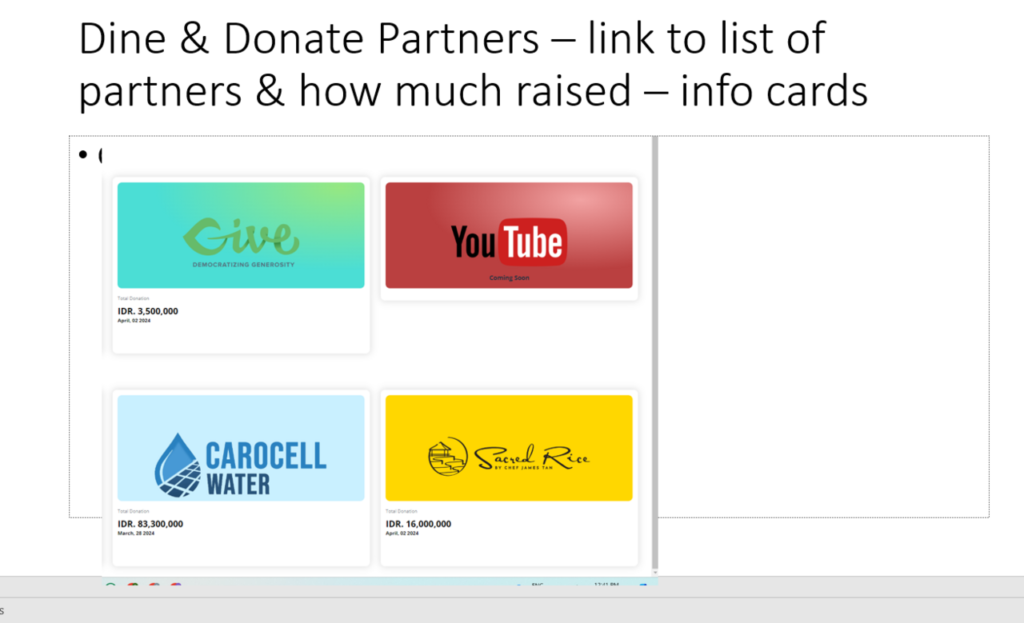
To enhance the visibility and effectiveness of your “Dine & Donate” initiatives, you can create a dedicated page on your NGO’s website, mirroring the format used for your donation section. This separate page should prominently feature the logos of participating partner restaurants, details of upcoming and past events, and a running total of the funds raised through these events.
The “Dine & Donate” page should start with an engaging introduction that explains the concept, benefits, and how donors can participate. Highlight the mutual advantages for both the NGO and the partner restaurants. Following this, include a section that lists upcoming and past events with specific details such as dates, times, locations, and the percentage of proceeds that will be donated. Each partner restaurant’s logo should be displayed prominently, ideally in a grid or carousel format, with clickable links that lead to their respective websites.
Additionally, to provide transparency and encourage participation, the page should feature a tracker showing the total amount of money raised through these events. A visually appealing progress bar or counter can effectively display this information. This section can also break down the funds raised by each partner, offering a clear picture of the impact generated by these partnerships. By organizing the page in this manner, you ensure that visitors can easily access all pertinent information, recognize the contributions of partner restaurants, and see the tangible results of their participation in the “Dine & Donate” program.